Free electronic signatures for the PDFs you already use
Upload an existing PDF, place the required fields and send one link. Your recipient can review and sign online without creating a Tracklytics account or installing an app.
No credit card required. Five active documents on the Free plan. Fair-use and storage limits apply.
Typed or drawn signatures · Named signers · Mobile-browser signing · Completed PDF
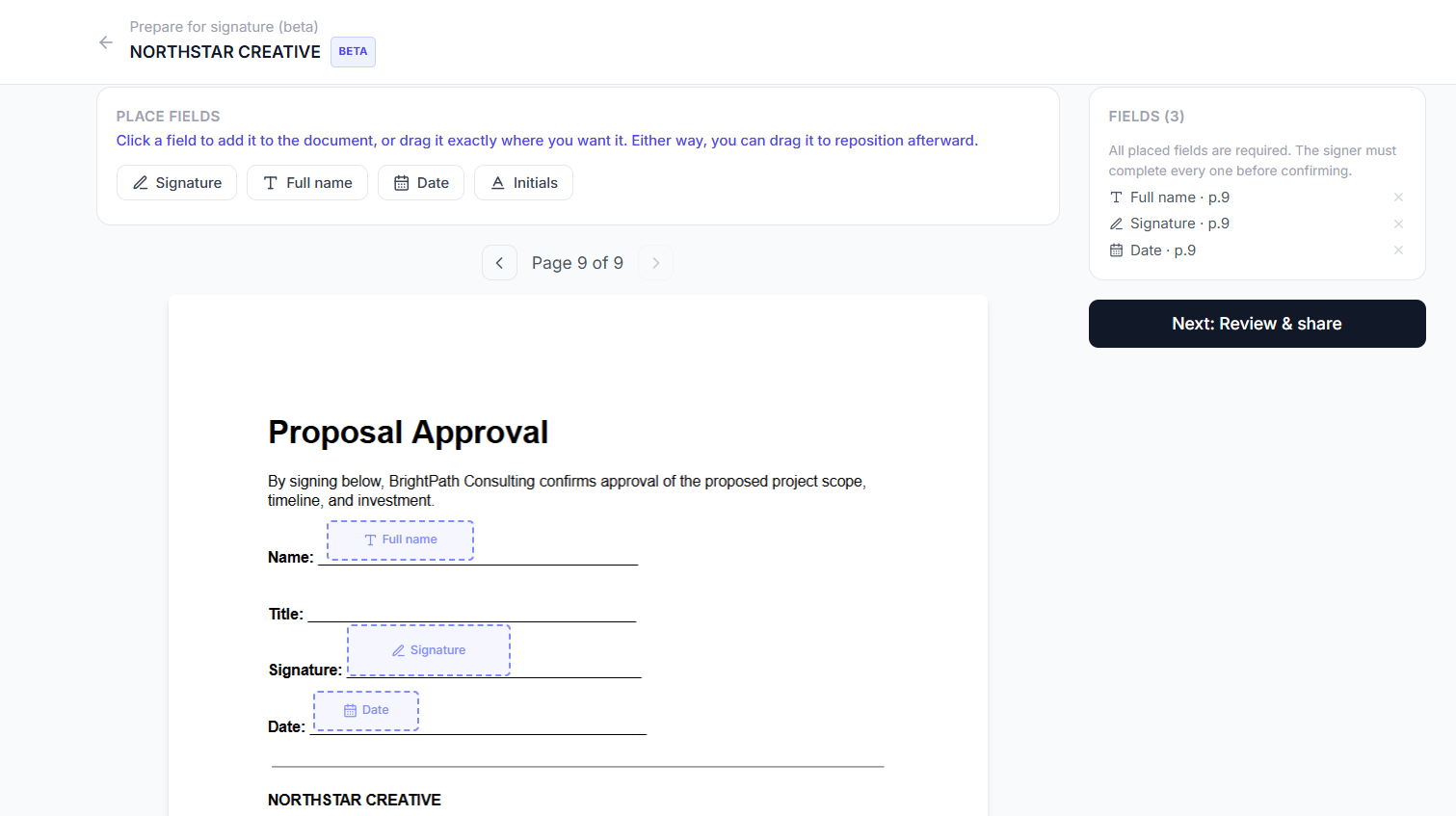
Adding signature and date fields to a real PDF
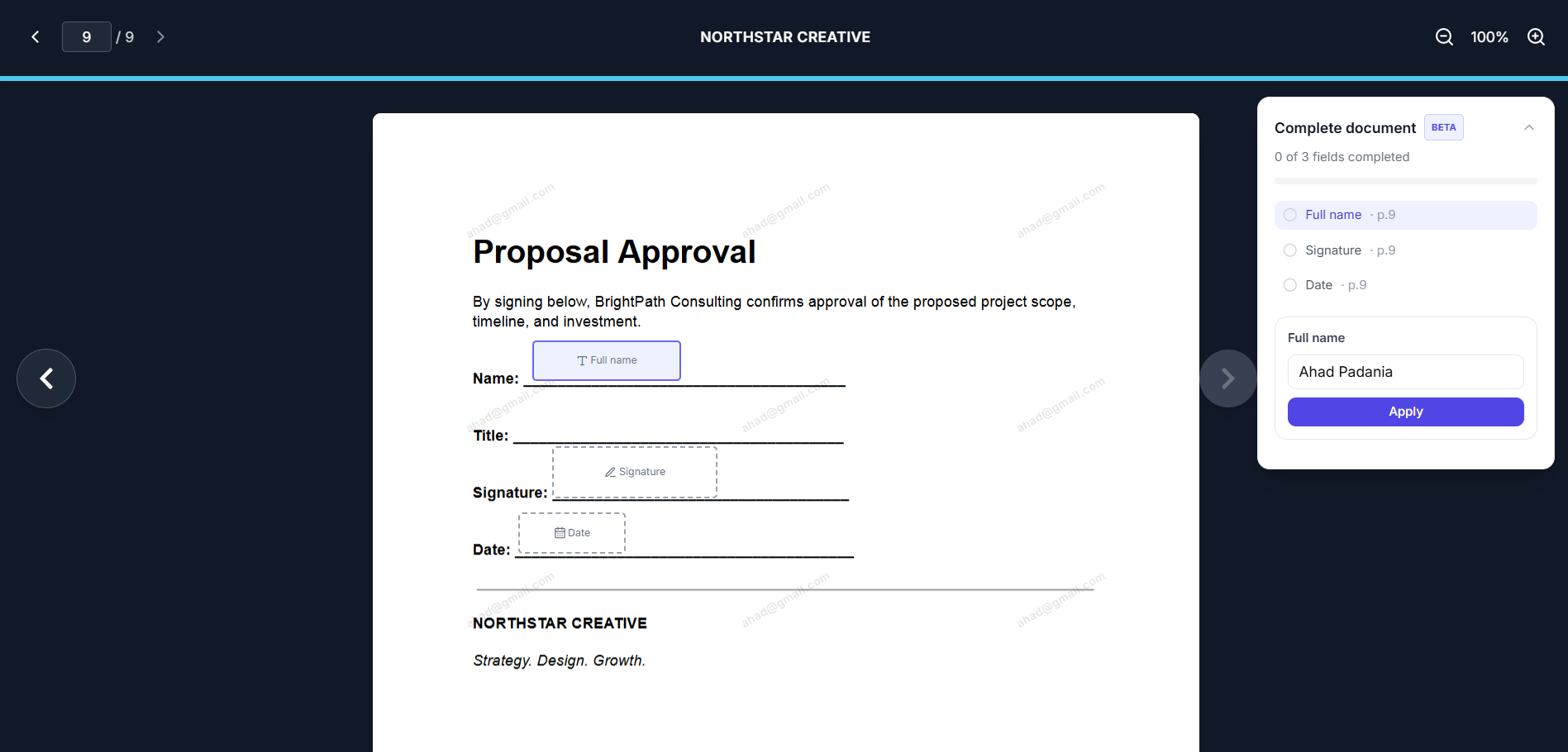
A recipient completing a field, no account required
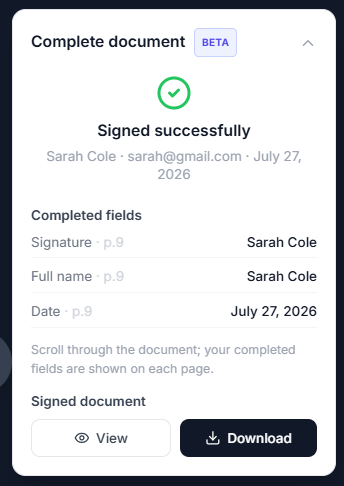
Instant confirmation, no paid plan required
Basic signing should be simple
Tracklytics includes electronic signatures on every plan because collecting a straightforward signature should not require a separate expensive subscription. Start with the Free plan, then upgrade only when deeper document intelligence becomes valuable to your workflow.
What is included for free
- Upload an existing PDF
- Add signature, initials, full-name and date fields
- Let recipients type or draw a signature
- Let the identified viewer sign
- Assign fields to named signers
- Support more than one signer
- Sign through a desktop or mobile browser
- Review basic document activity
- Access the completed PDF
Electronic signatures are included within the Free plan's active-document, storage and fair-use limits.
How to collect an electronic signature for free
Create a free account
Open Tracklytics and start a document without entering a credit card.
Upload your PDF
Use a proposal, quote, statement of work, NDA, standard agreement or another supported PDF.
Add the fields
Place signature, initials, name and date fields where the recipient must complete them.
Choose the signer
Allow the identified viewer to sign or assign fields to specific people.
Share the link
The recipient opens the document in a browser, reviews the content and confirms the signature.
Download the completed document
Return to Tracklytics to review the status and access the completed PDF.
Free signing plus basic document context
A completed signature is useful, but it is not the entire story. Tracklytics also gives you basic visibility into the document journey so you are not sending a PDF into a black box.
See when the document is opened
Confirm that the recipient reached the document instead of guessing whether the attachment was seen.
Keep review and signing together
Let the recipient read and sign in one continuous browser experience.
Upgrade when the signals matter
Move to a paid plan when you need eligible features such as heatmaps, deeper page engagement, viewer identity, lead scoring, real-time alerts or AI follow-up recommendations.
The signature workflow is free. Advanced buyer-intent insight is what you upgrade for.
Sign from any browser, on any device
Recipients complete the signing flow directly in a desktop or mobile browser, no app to download and no account to create.
- Fit the PDF to the phone screen
- Move directly to the next required field
- Type a signature or draw with a finger
- Review the finished document before confirming
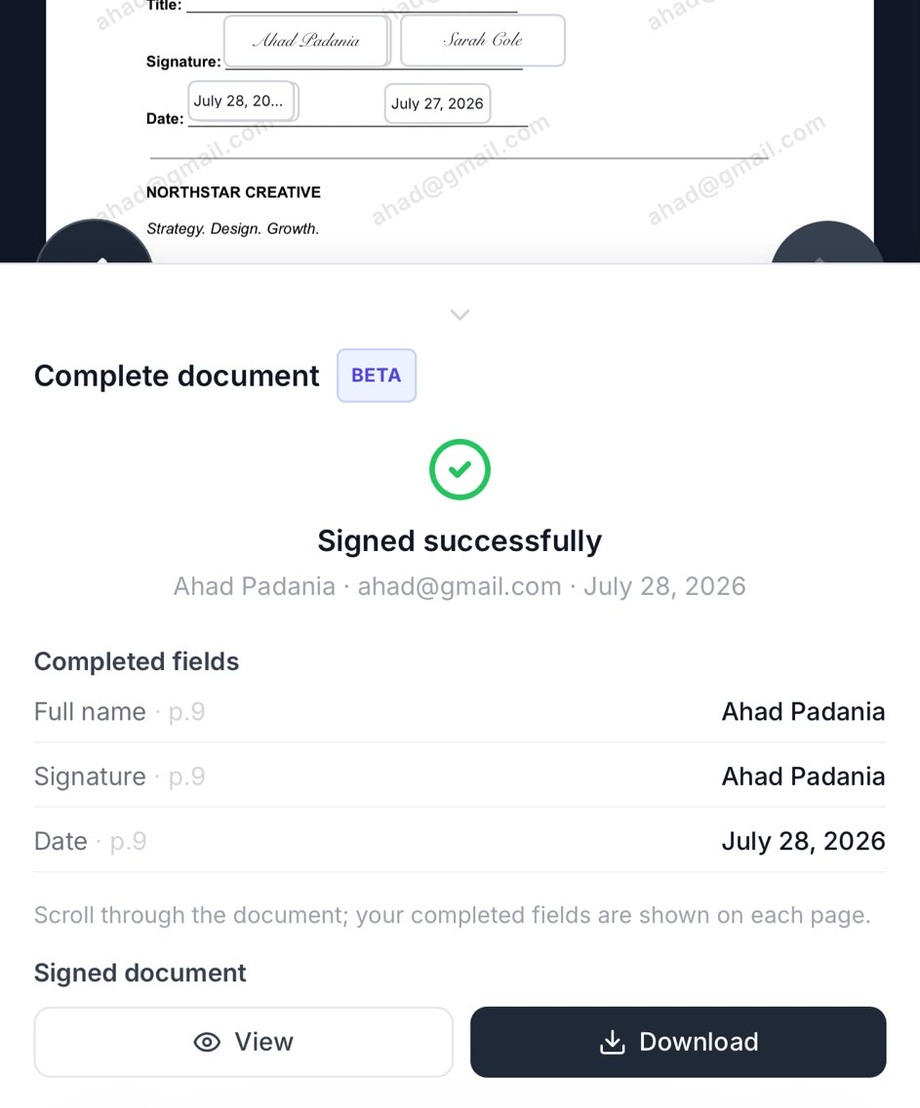
Signing free of charge, right inside the mobile browser
A practical fit for everyday business documents
Sales proposals awaiting approval
Quotes and estimates
Statements of work
Standard client or vendor agreements
General NDAs
Agency retainers
Internal approvals
Some documents have special legal, identity, witnessing or retention requirements. For regulated or high-risk transactions, confirm the required level of signature assurance with qualified counsel.
Free electronic-signature questions
Is Tracklytics really free?
Yes. The Free plan includes electronic signatures for up to five active documents, subject to storage and fair-use limits. No credit card is required to begin.
Will my recipient be charged?
No. A recipient does not pay to open and complete a signature request.
Does the recipient need an account?
No. The recipient signs through the shared Tracklytics link in a supported browser.
Can a recipient draw a signature?
Yes. A recipient can type a signature or draw one with a mouse, trackpad or finger.
Can more than one person sign?
Yes. Add named signers and assign the appropriate fields to each person.
What happens when I reach the Free-plan limit?
You can complete or deactivate documents to manage the active-document limit, or choose a paid plan for more capacity and deeper analytics.
Are advanced heatmaps and lead scores free?
No. Advanced document-intelligence features are available on eligible paid plans. The Free plan is designed for basic signing and document tracking.
Explore more
Start with the document in front of you
Upload a PDF, add the required fields and send a free electronic-signature request in minutes.