Electronic signatures for sales proposals
Send one tracked proposal link, understand what the prospect reviewed and collect the signature without breaking the buyer's experience.
Electronic signatures are included on every plan. Advanced proposal analytics are available on eligible paid plans.
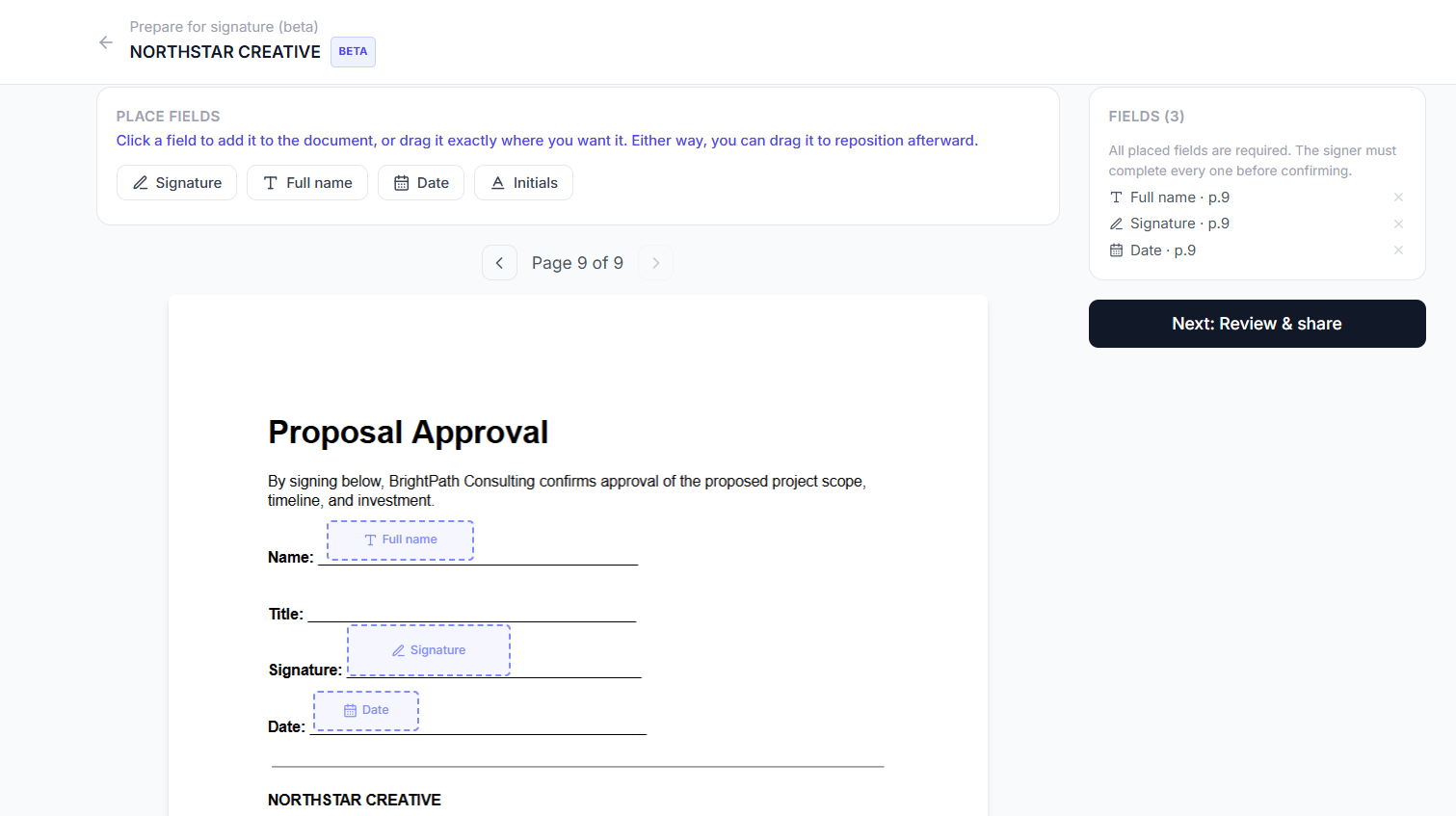
Placing signature and approval fields on the proposal
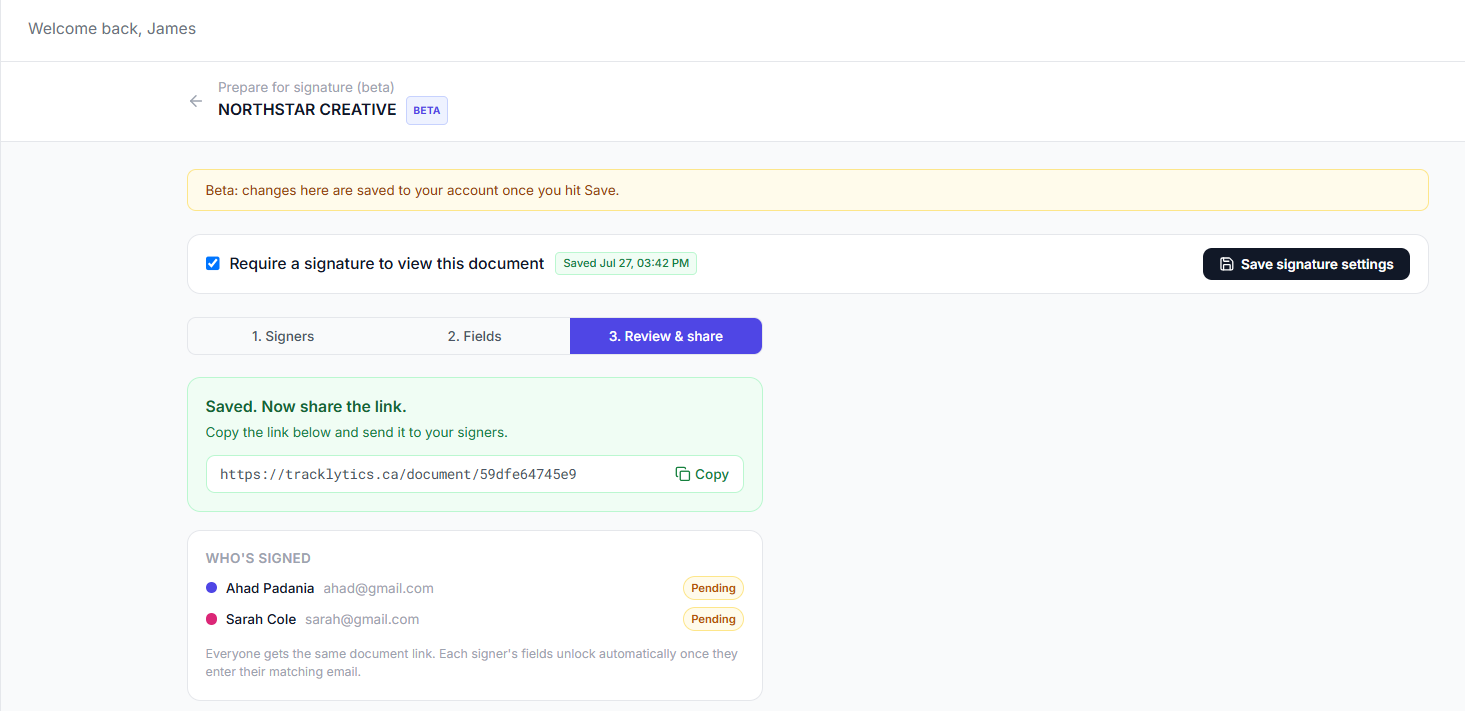
One link, with pending signers tracked automatically
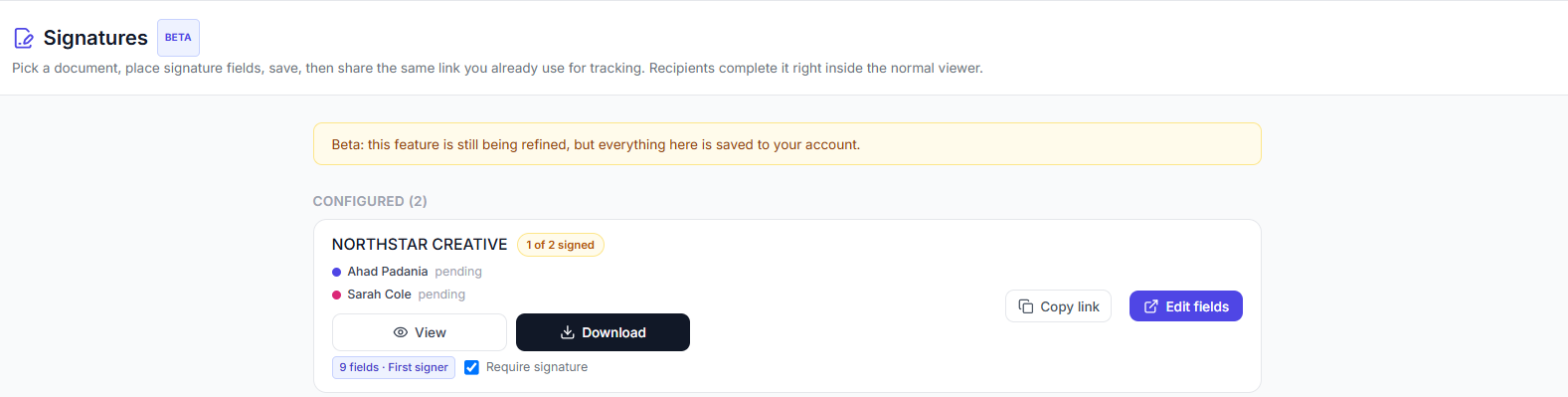
Check proposal status from the dashboard, no separate tool
Know what changed between ‘sent’ and ‘signed’
A proposal rarely moves directly from the outbox to a signature. The prospect may return several times, compare pricing, review implementation details or share the document with another stakeholder. Tracklytics helps you see the document journey so your follow-up can reflect what actually happened.
Example proposal activity
The prospect opens the proposal after the sales call.
They spend the most time on pricing and implementation.
They return the following morning.
A second identified stakeholder reviews the scope.
The prospect completes the signature request.
This is an illustrative example, not a claim about a specific Tracklytics customer.
Turn proposal activity into a better sales conversation
They returned to the proposal
The opportunity may still be active. Follow up with useful context instead of a generic "just checking in."
They focused on pricing
Prepare to discuss packaging, value, budget or commercial terms.
They reviewed implementation
Answer questions about timing, responsibilities, onboarding or risk.
Another identified stakeholder opened the link
Ask whether additional people should be included in the next conversation.
They stopped before the final pages
Clarify the recommendation and make the next step easier to find.
Engagement data is a signal, not proof of intent. Use it to ask better questions rather than making assumptions about the prospect.
From proposal to signature in one workflow
Upload the finished proposal
Use the PDF your team already created.
Add the approval fields
Place signature, name, initials and date fields where required.
Configure access
Choose viewer-identification, password, expiry or other available controls that fit the proposal.
Share one tracked link
Send the proposal through email, your CRM or another sales channel.
Review proposal engagement
Use the analytics available on your plan to understand opens, revisits, page attention and viewer activity.
Collect the signature
Let the prospect complete the assigned fields in the same browser experience.
Keep the buyer inside the proposal
The prospect should not have to read a tracked proposal in one product and then move into an unrelated signing tool. Tracklytics keeps review and signature completion connected through one document and one link.
On desktop
The proposal remains visible while the signing panel appears beside it.
On mobileBeta
The PDF uses the available screen while signing controls open in a mobile-friendly panel. Mobile-browser signing is currently in Beta.
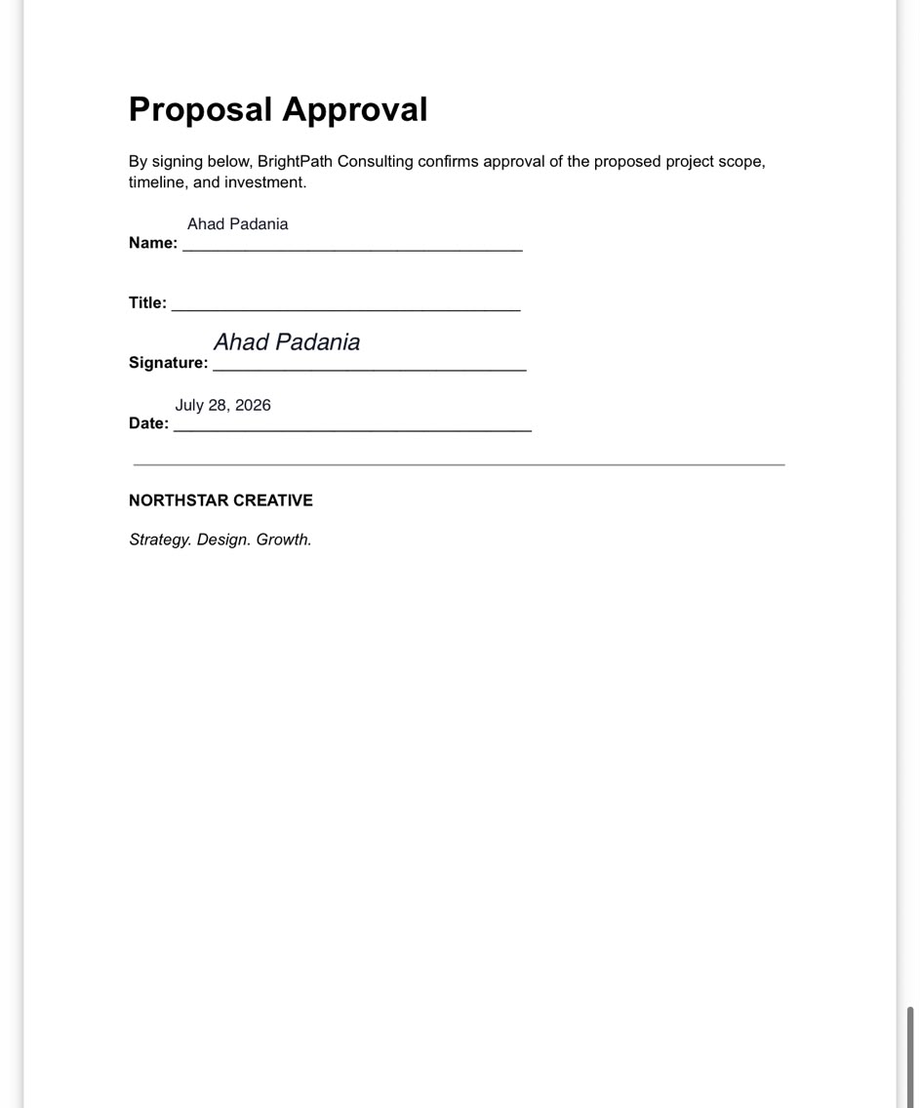
The completed proposal, reviewable right on a phone
Built for proposal-driven sellers
Agencies
Track creative, marketing, web, branding and retainer proposals before the client approves.
Consultants
See whether a buyer focused on outcomes, scope, timeline or fees.
Founders and small sales teams
Get useful proposal context without adding a complex sales stack.
Service businesses
Send quotes, estimates and statements of work through a professional tracked link.
Free signing. Deeper proposal intelligence when you need it.
Electronic signatures are included on the Free plan and every paid plan within the applicable limits. Upgrade when your team needs eligible features such as heatmaps, deeper page engagement, real-time alerts, viewer identity, lead scoring or AI follow-up recommendations.
The signature closes the document. The engagement data helps move the conversation toward that moment.
Sales-proposal questions
Can I use my existing proposal PDF?
Yes. Upload the PDF, place the required fields and share the Tracklytics link.
Can Tracklytics show which proposal pages were reviewed?
Eligible plans can provide page-level engagement and related document-intelligence features.
Will the prospect need an account?
No. The prospect can open and sign through a supported browser.
Can several stakeholders use one proposal link?
Yes. Viewer-identification and named-signer settings help distinguish participants and control which fields each signer can complete.
Can my company sign the proposal too?
Yes. Add the appropriate internal and external signers, then assign the required fields to each person.
Does every repeat visit mean the buyer is ready to purchase?
No. Repeat visits are useful signals, but they do not prove purchase intent. Treat engagement as context for a thoughtful follow-up.
Does Tracklytics replace a CRM?
Tracklytics focuses on the document journey. CRM integrations and workflows can connect that activity with the broader sales process where supported.
Stop sending proposals into a black box
Share one tracked link, understand what the prospect reviewed and collect the signature in the same experience.