Send, sign and track NDAs online
Upload an NDA, assign the required fields and share one tracked link. Recipients can review and sign in their browser while Tracklytics helps you follow the document journey.
Electronic signatures are included on every plan. No recipient account or app required.
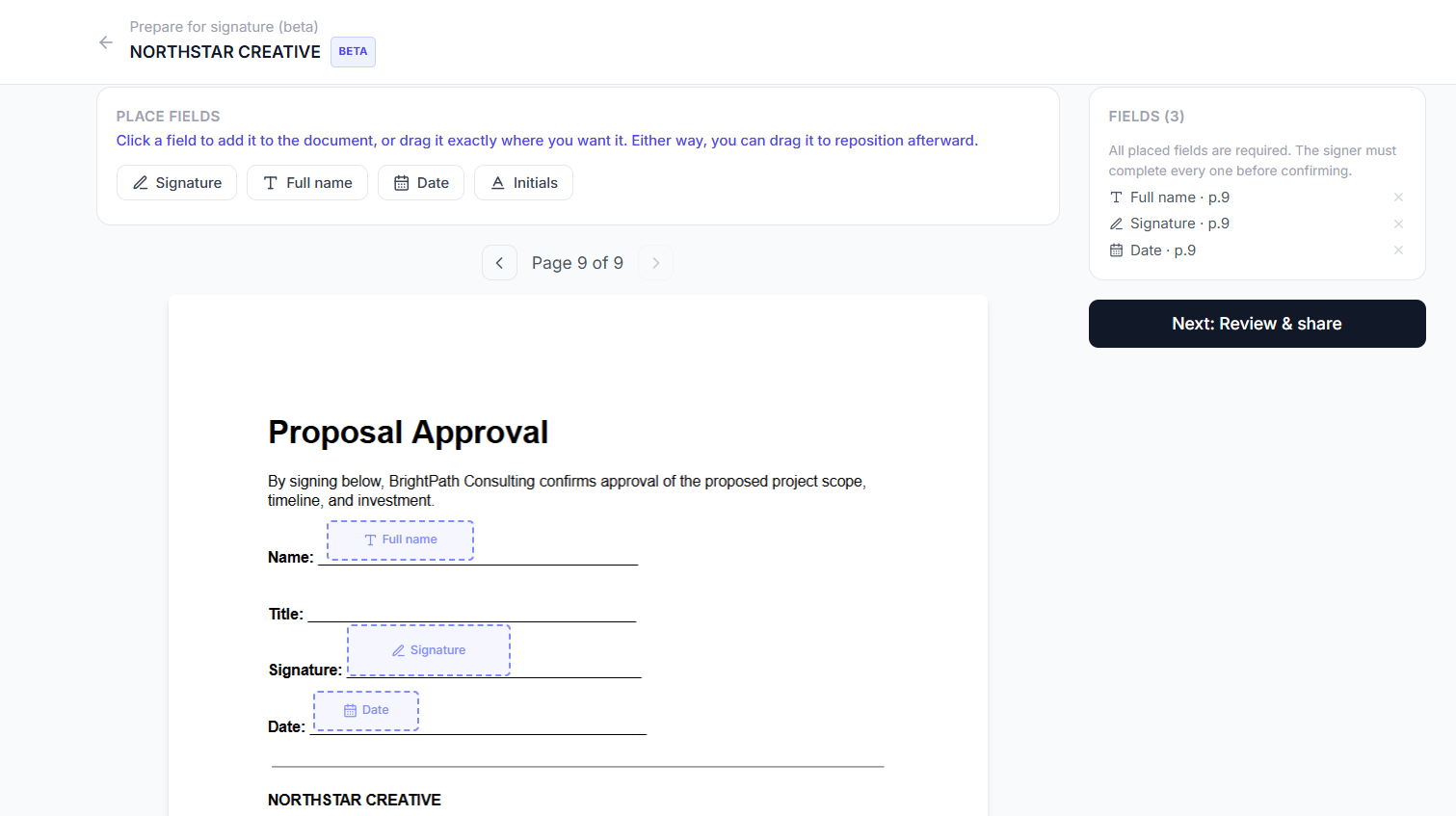
Placing signature, name, and date fields on the NDA
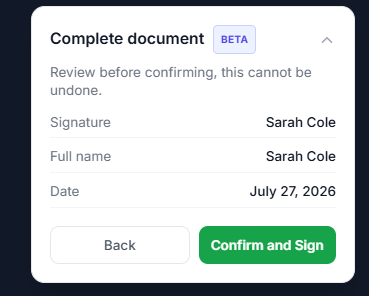
A clear review step before the signature is final
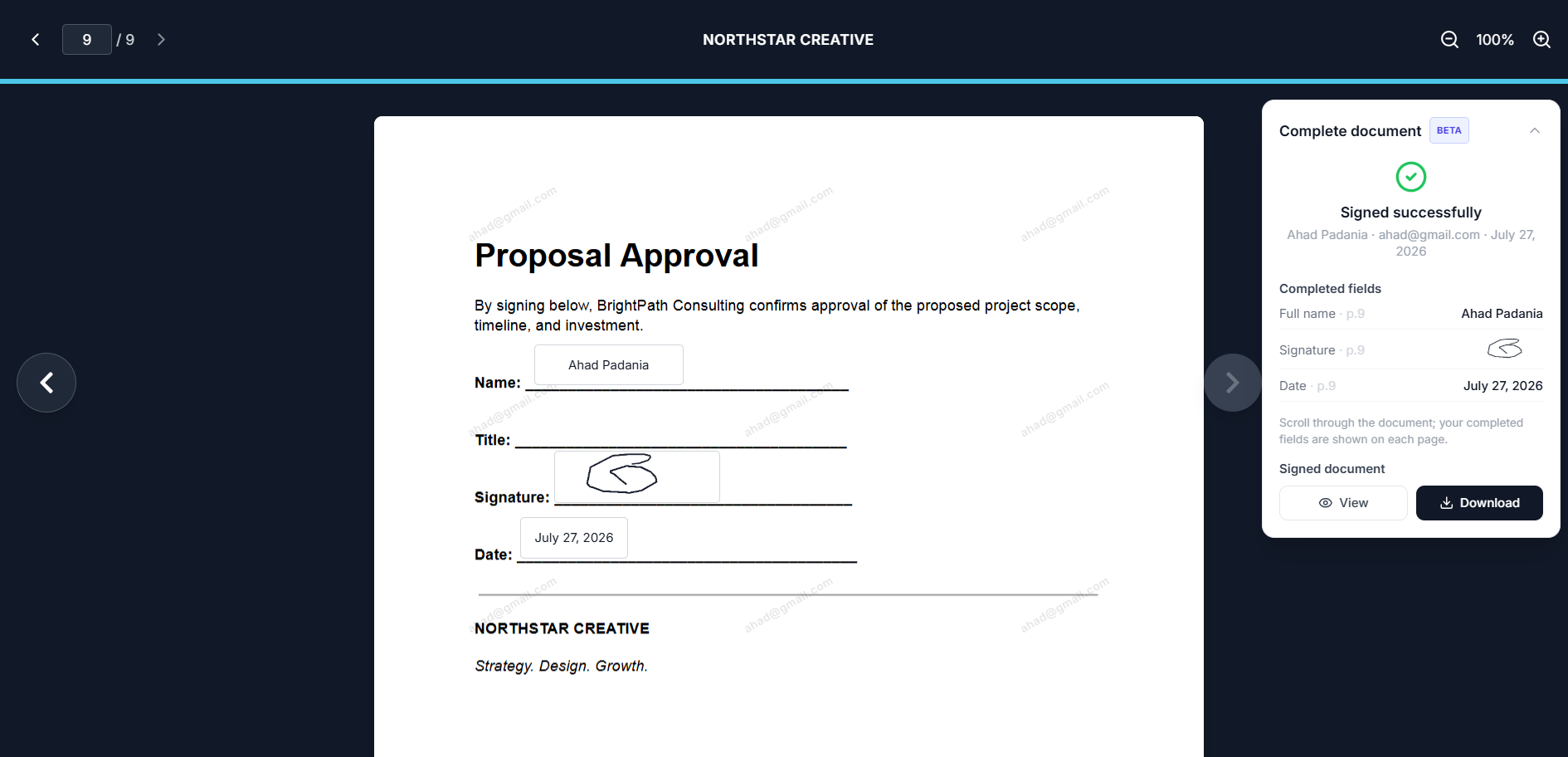
Signed, with the completed NDA ready to download
Keep NDA review and signing in one place
An NDA often arrives before a proposal, product demo, partnership discussion or sensitive file exchange. Tracklytics lets the recipient review the uploaded NDA and complete the assigned signature fields without moving into a separate signing product.
For a general NDA
Let the identified viewer enter their name and email, review the document and deliberately apply a signature.
For a specific agreement
Add each signer by name and email, then assign the correct fields to each person.
For a multi-party NDA
Use signer assignments to separate the fields for founders, clients, vendors, witnesses or other appropriate participants.
How to send an NDA for electronic signature
Upload the NDA
Add the final PDF that the parties need to review.
Place the fields
Add signature, initials, full-name and date fields in the required locations.
Add the signers
Let the identified viewer sign or assign fields to specific people.
Configure access
Use available controls such as name and email collection, password protection, expiry or tracking notice where appropriate.
Share one link
Send the NDA through email or another communication channel.
Follow completion
Review document activity, signature status and the completed PDF from Tracklytics.
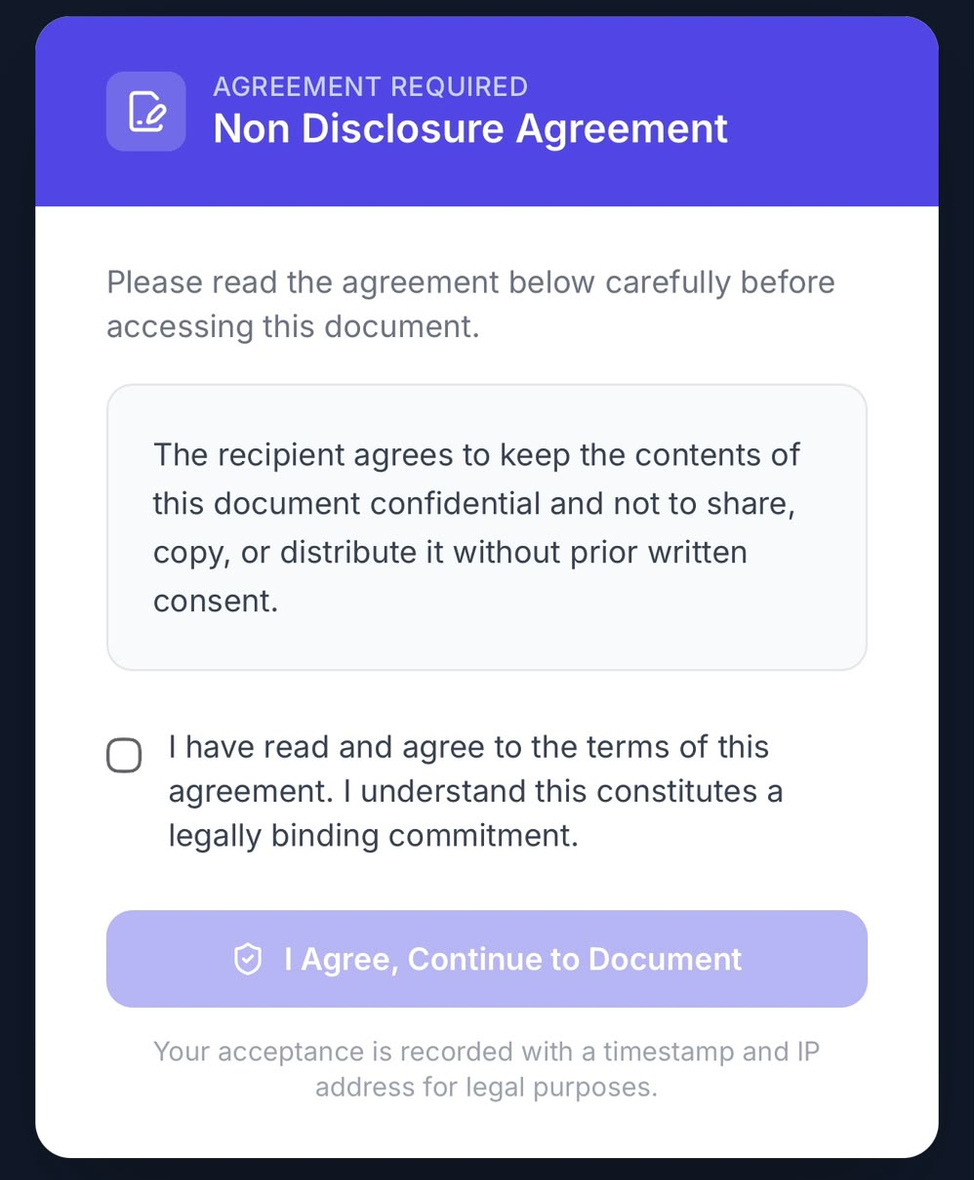
The agreement gate works the same way on a phone
Two NDA workflows that should not be confused
Sign the uploaded NDA
Upload the NDA itself, place signature fields on it and collect the completed signatures. Use this when the NDA is the document the parties must sign.
Use an NDA or agreement gate before another document
Require a viewer to complete an agreement step before opening a separate protected document. This is useful when access to a proposal, pitch deck or confidential PDF depends on prior acceptance.
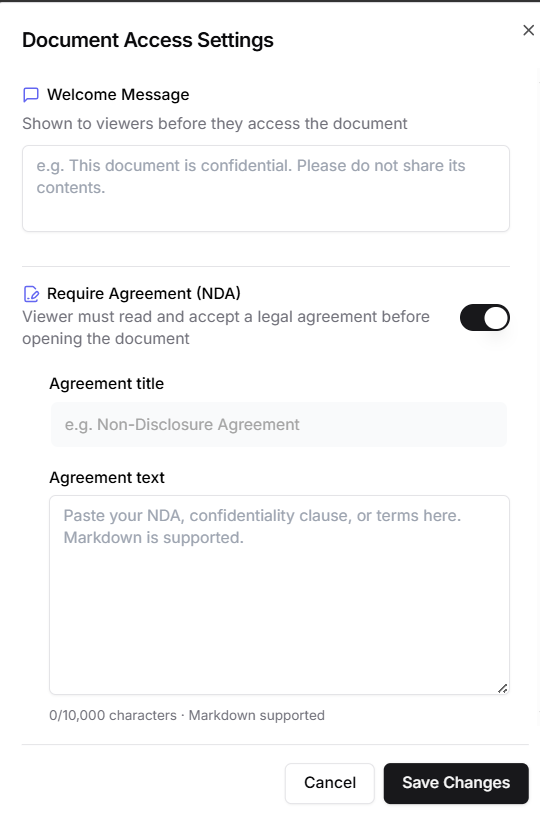
Configuring the agreement gate, with a welcome message and agreement text
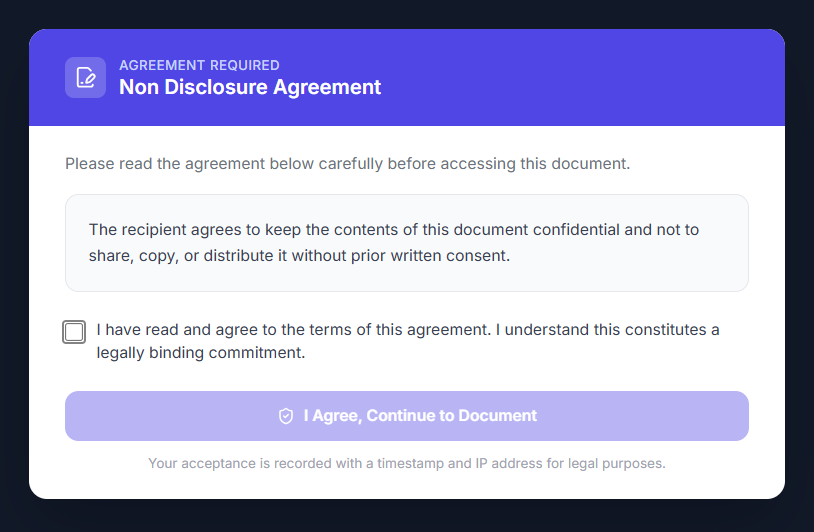
What the viewer sees before the protected document opens
Important note
An agreement gate and a signed uploaded NDA are different workflows. Do not describe a click-through gate as a signed NDA unless the implementation, displayed terms, consent evidence and applicable legal requirements support that claim.
Understand the NDA journey
Tracklytics can help you see whether the NDA was opened, revisited and completed. Eligible paid plans can provide deeper page-level engagement, viewer identity, alerts and other document-intelligence features.
Example NDA activity
Recipient opened the NDA
Reviewed the confidentiality and term sections
Returned later from the same identified email
Completed the assigned signature fields
Owner accessed the completed PDF
Engagement data gives useful operational context but does not replace identity assurance, legal review or evidence required for a particular transaction.
Useful controls for confidential documents
Select the controls appropriate to the document, the relationship and the plan being used.
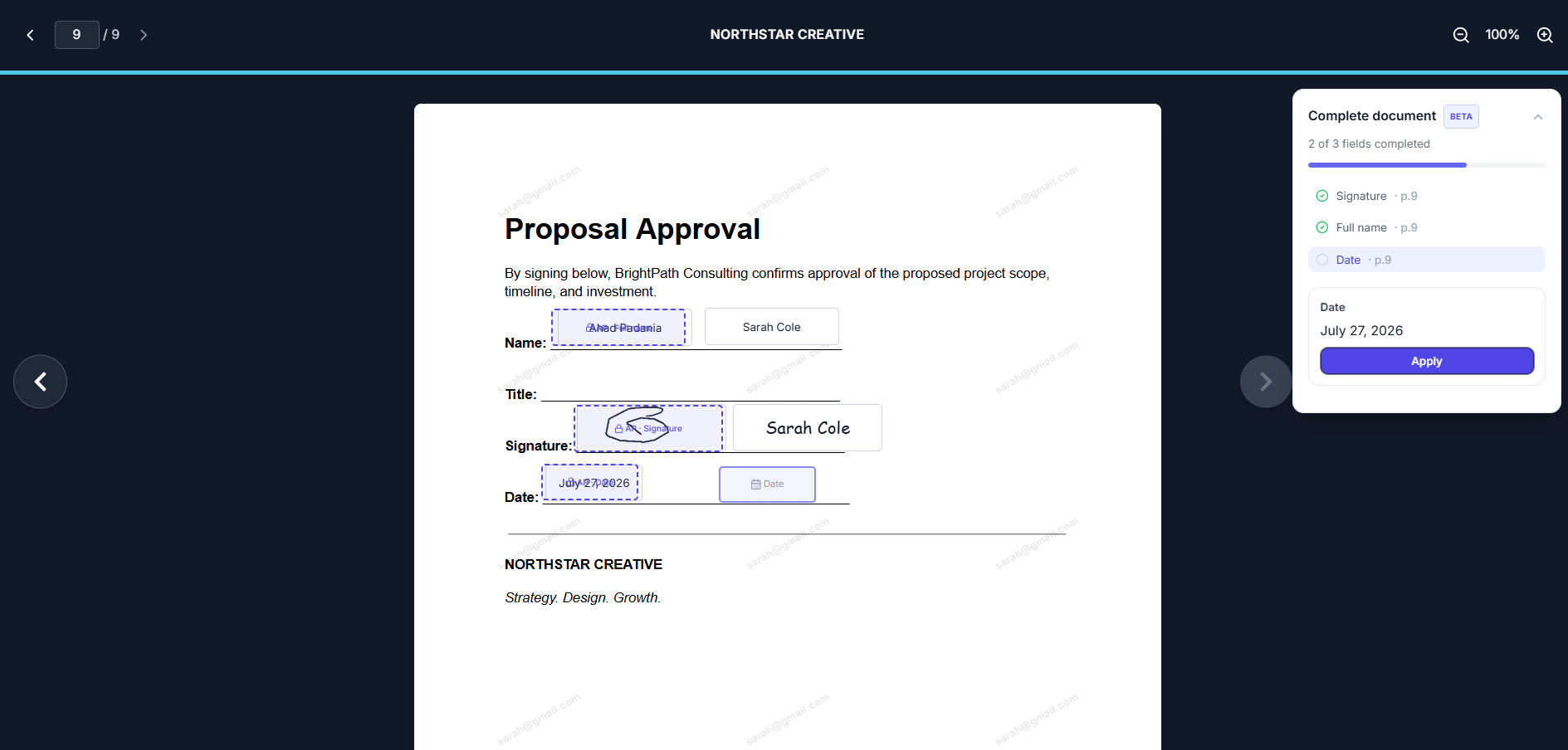
The viewer's email is watermarked across the document while they view or sign it
A practical fit for common NDA situations
- Early customer or vendor discussions
- Agency discovery and proposal work
- Contractor and freelancer onboarding
- Partnership conversations
- Founder and investor discussions where an NDA is appropriate
- Product demonstrations involving confidential information
- Two-way or multi-party business discussions
Caution
Some organizations may require their own approved NDA template, identity process, audit record, retention policy or certificate-backed signature technology. Confirm those requirements before sending.
NDA-signing questions
Can I upload my own NDA?
Yes. Upload the final PDF, add the required fields and send the Tracklytics link.
Can both parties sign the same NDA?
Yes. Add both parties as signers and assign the appropriate signature, name and date fields.
Does the recipient need a Tracklytics account?
No. A recipient can review and sign through a supported browser.
Can someone sign the NDA from a phone?
Yes. Mobile-browser signing is available in Beta. Test the workflow on the devices relevant to your use case before depending on it for an important transaction.
Is the NDA gate the same as signing an NDA?
No. A gate is an access-control and acceptance workflow placed before another document. Signing an uploaded NDA requires signature fields and deliberate completion of that NDA.
Are Tracklytics signatures legally binding for every NDA?
No electronic-signature provider should make that blanket promise. Enforceability depends on the parties’ intent, the evidence produced, the applicable law, the document type and the circumstances. Tracklytics provides an electronic-signature workflow, not legal advice.
Does Tracklytics provide certificate-backed digital signatures?
No. Tracklytics currently supports typed and drawn electronic signatures. It should not be described as a certificate-backed digital-signature system.
Can I download the completed NDA?
Yes. After completion, the owner can access the completed PDF from Tracklytics.
Beta status
BetaTracklytics is continuing to strengthen completed-document storage, audit records, document verification and signer authentication. For regulated, high-value or identity-sensitive NDAs, confirm whether the Beta workflow meets the requirements of the parties and the applicable jurisdiction.
Send the NDA without losing sight of the process
Upload the agreement, assign the signers and follow the document from first open to completed signature.